Home | Solutions | Rebar Software | Scheduling
See a clear picture
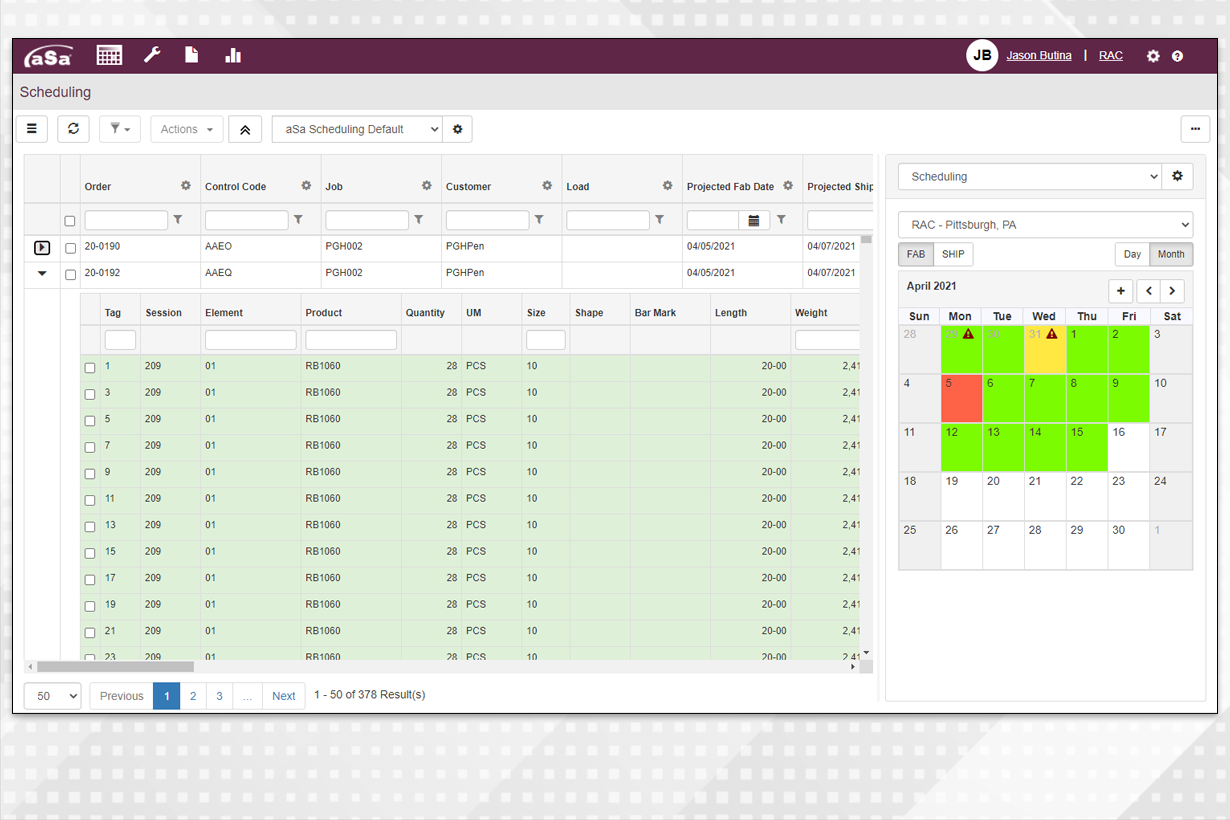
Each day of the calendar is color-coded so you can see at a glance whether a day is below, near, or over-capacity. Inquiries show breakdowns by machine route and bending details.
Adapt to changing conditions
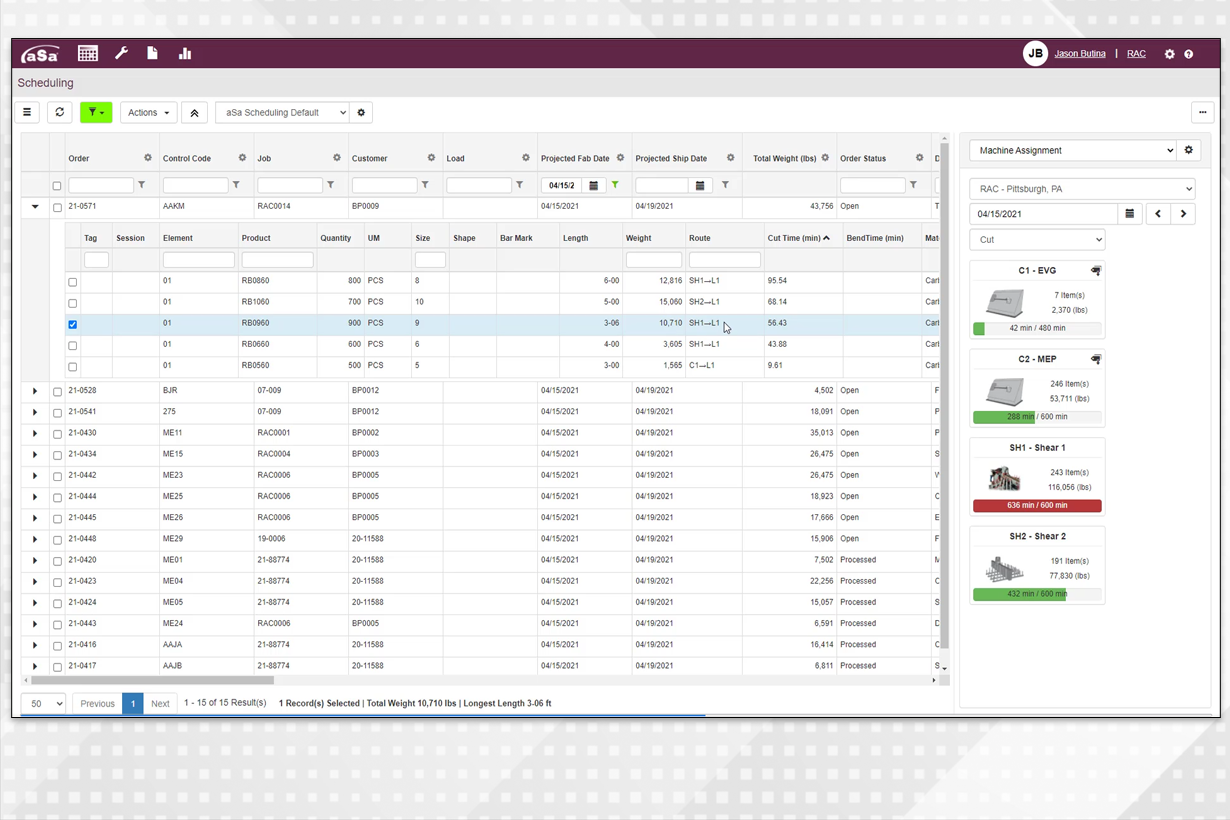
When a machine goes down for maintenance or an unexpected order needs to ship ASAP, Scheduling gives you the tools to update your plans and keep everyone who needs to know informed.
Plan loading and delivery
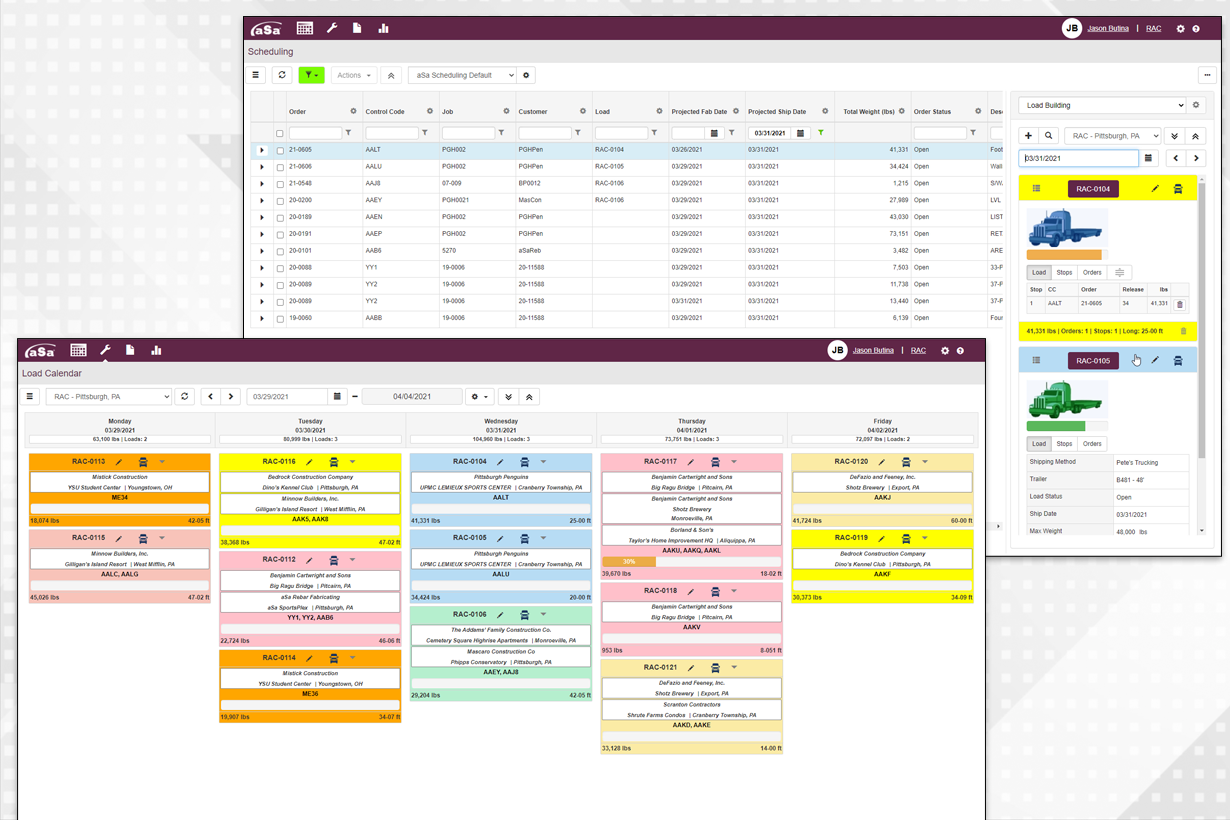
With Scheduling’s Load Building tool, you’ll be sure to get the right material on the right trucks. Easily build trailer loads based on your delivery stops.
Customize based on your needs
Easily re-arrange columns, apply filters, customize labels, and more based on your own needs and preferences. Save and re-use multiple customization schemes for yourself and others.
The ability to exceed your customers’ expectations and keep your shop running smoothly hinges on effectively scheduling production and delivery. Designed to aid production managers and project coordinators, aSa Scheduling integrates with other aSa modules to help you easily assign fabrication date, delivery date, and shipping trailer for each order that you produce. Assign material to machines, orders to trucks, and so much more with the system’s easy visual scheduling tools.
To schedule fabrication or shipment, simply select an order, then click on the calendar
Assign material to trucks to develop your deliveries; drag and drop to rearrange shipments
The system automatically assigns a route to your material, but when conditions or priorities change, you can easily update routes in Scheduling
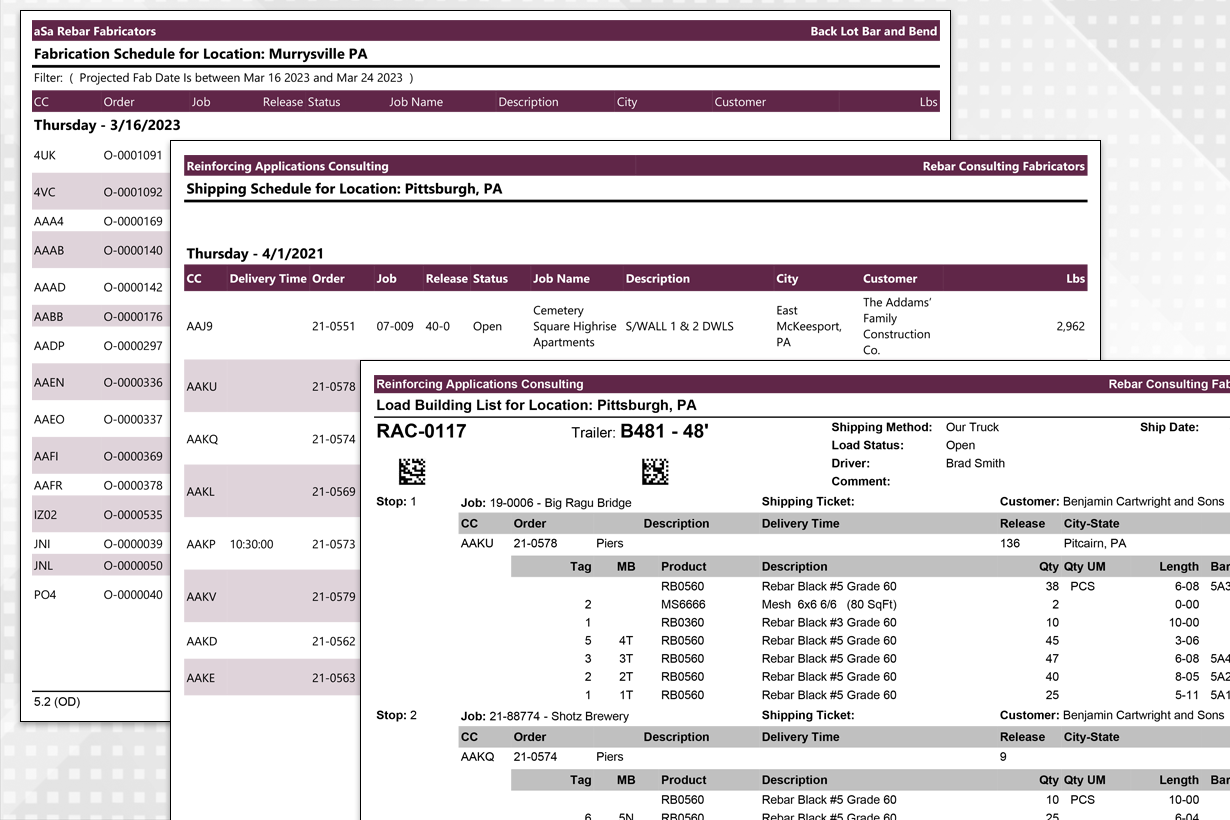
Reports provide easy-to-understand plans for fabrication, trailer loading, and shipments